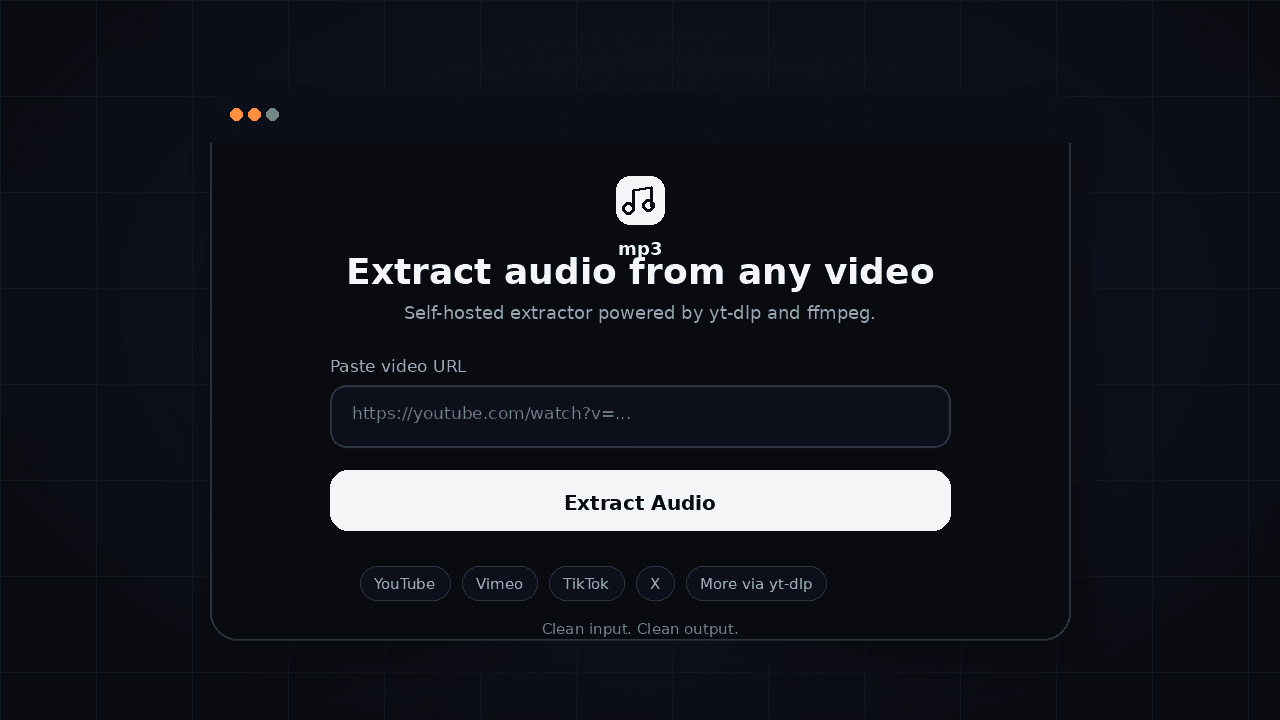
Self-hosted audio extraction from video URLs, with a matching browser extension for one-click use. Runs entirely on your machine.
The Problem
Most online MP3 converters feel grimy. Pop-ups, fake buttons, rate limits, broken providers, and public APIs that can disappear overnight. I wanted the opposite: a clean interface backed by infrastructure I actually control.
What I Built
mp3 is a self-hosted audio extraction app with a matching Chrome extension:
- paste a video URL into a minimal web UI
- stream extraction progress live in the browser
- convert to MP3 through local
yt-dlp+ffmpeg - download the finished file from your own backend
- point the extension at the same
/api/extractendpoint
The important shift is architectural. The old dependency on a public extraction API is gone. The app now runs through a Next.js backend that spawns the local extractor directly, stores output in temporary job folders, and serves the final MP3 through its own download route.
Stack: Next.js 16, React 19, Tailwind CSS 4,
yt-dlp, ffmpeg, Chrome ExtensionKey Learnings
1. Critical dependencies should be owned when possible
The public extraction flow worked until it didn’t. When the external API started requiring JWT auth, the product broke for reasons completely outside the app. That was the signal to bring the core path back in-house.
2. Good UX still matters in utilitarian tools
This is not a flashy product. It is one field, one button, one outcome. But that simplicity is the feature. Utility software earns trust when the interface feels quiet, clear, and honest.
3. Long-running work needs visible progress
Media extraction is not instant. The app now streams newline-delimited progress events back to the client so the user sees real movement instead of a dead button and a prayer.
4. Extension drift is real
If the web app evolves and the extension doesn’t, one of them becomes fiction. Keeping both pointed at the same backend makes the project more coherent and much easier to reason about.
Current Status
The repo is up to date with GitHub and in a stronger state now:
- the self-hosted backend is live in the codebase
/api/extractvalidates input, inspects media, and streams progress updates/api/downloadserves the generated MP3 from temporary job storage- the web app is clean, fast, and visually consistent
- the Chrome extension is aligned with the same backend model
- the production build passes cleanly
What's Next
- deploy the extractor on a host with reliable
yt-dlpandffmpeg - add cookie or auth support for providers that need more context
- decide whether format and bitrate controls should become real features or disappear from the extension UI
- consider a video-download mode once the audio path is fully settled
Agent Quick Start
# mp3

Self-hosted audio extraction from video URLs.

## Setup
git clone https://github.com/sergiopesch/mp3
cd mp3
npm install
npm run dev

## Requirements
- Node.js 18+
- ffmpeg available on the host
- yt-dlp available locally or via YT_DLP_BIN

## Web flow
POST /api/extract { url: "https://youtube.com/..." }
Streams NDJSON progress, then returns a download payload

GET /api/download?id=...&filename=...
Streams the generated MP3 file

## Stack
Next.js 16, React 19, Tailwind CSS 4, yt-dlp, ffmpeg, Chrome Extension

## Links
- Repo: https://github.com/sergiopesch/mp3