
Browser first coaching
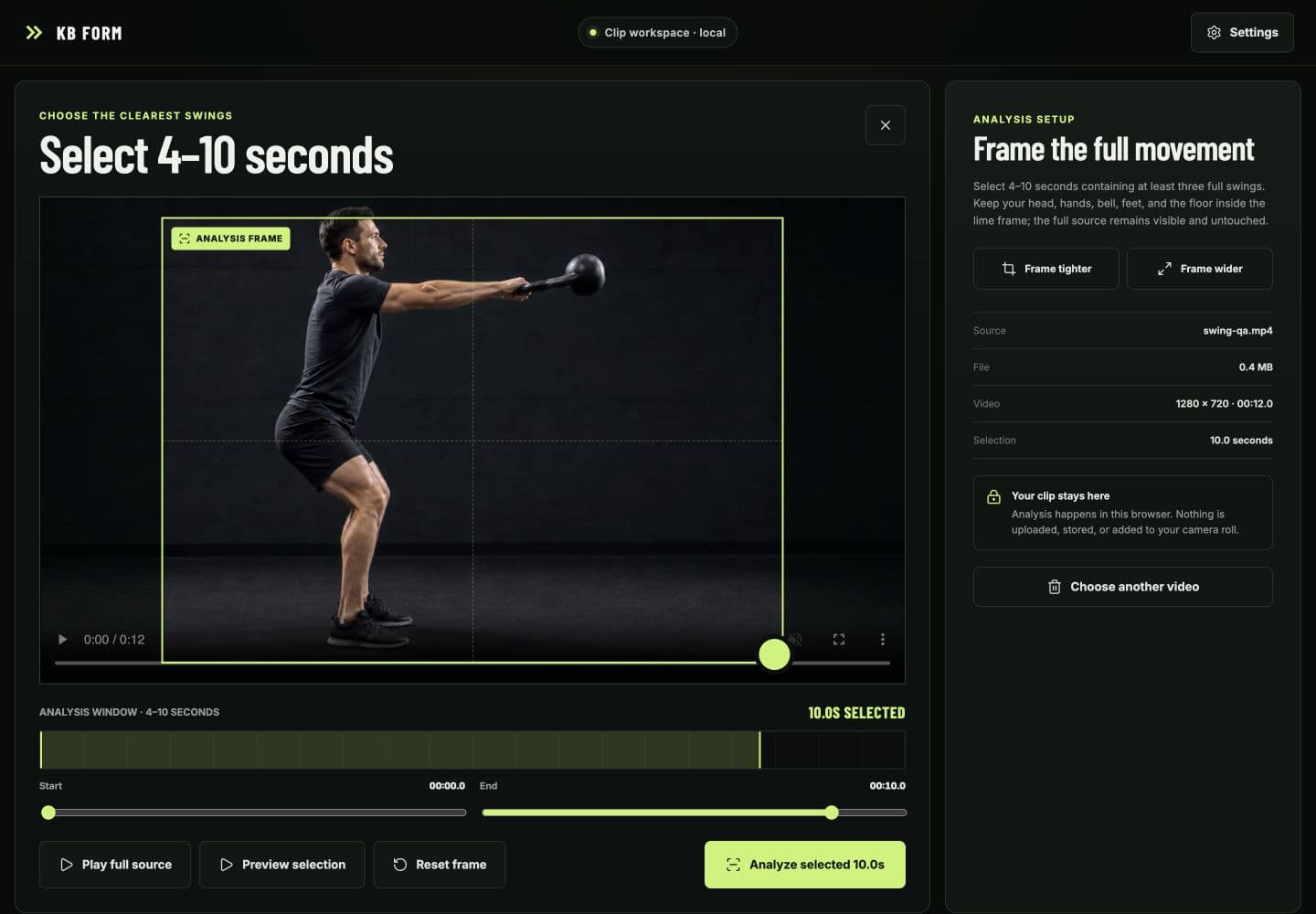
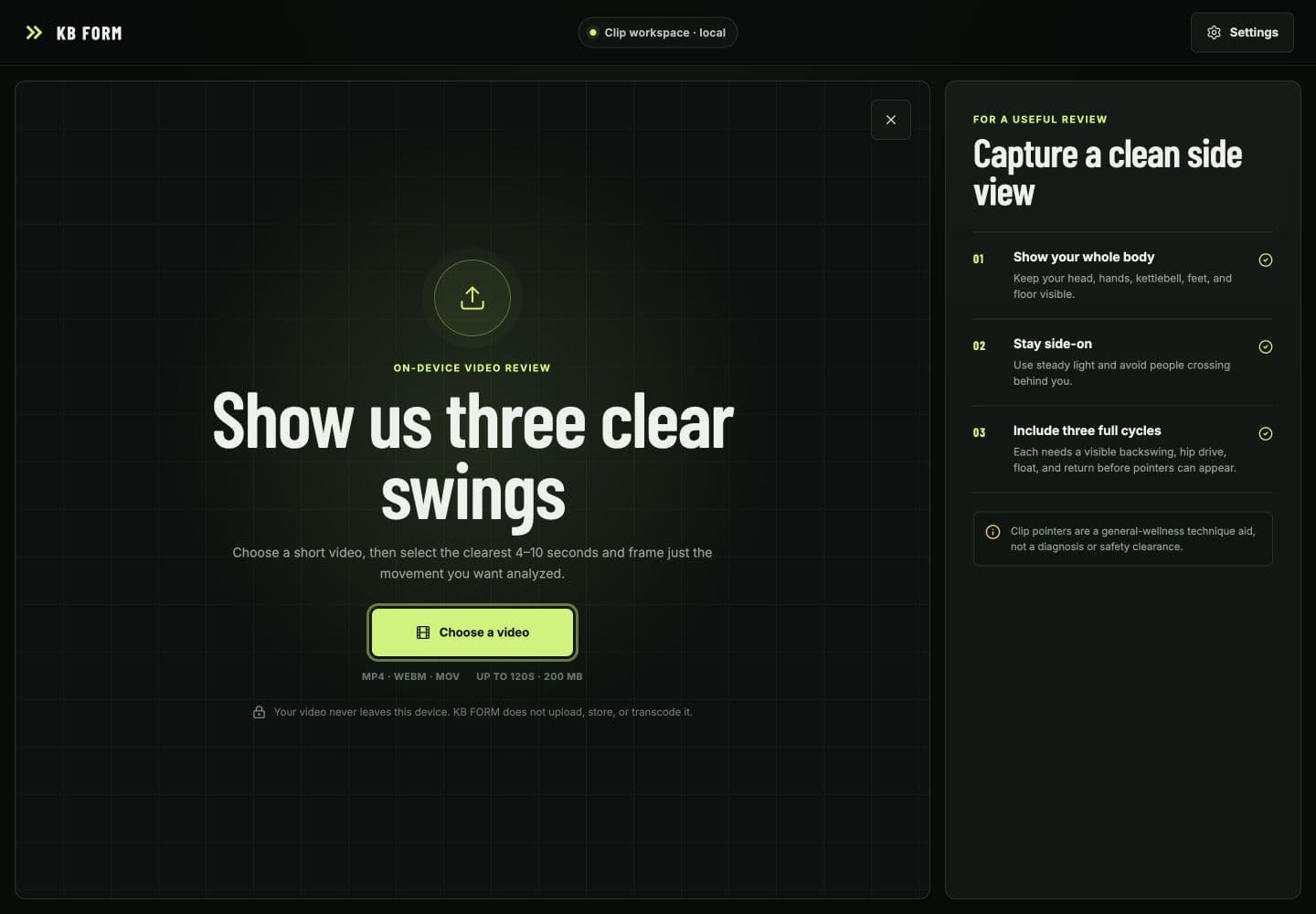
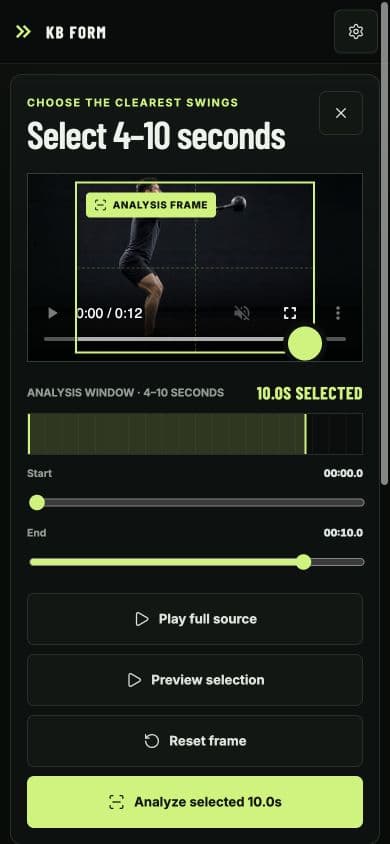
Kettlebell Form is now KB FORM: a technique-awareness coach for one deliberately narrow movement, the two-hand, shoulder-height, hip-hinge kettlebell swing. Alongside the live camera and no-camera preview, a user can choose an existing video, inspect the complete source, select the clearest 4–10 seconds, and move or resize a spatial frame around the useful movement without modifying the original clip.
The clip path is deliberately non-destructive: inspect the full source, select just the 4–10 seconds and region worth analyzing, and keep the original untouched.
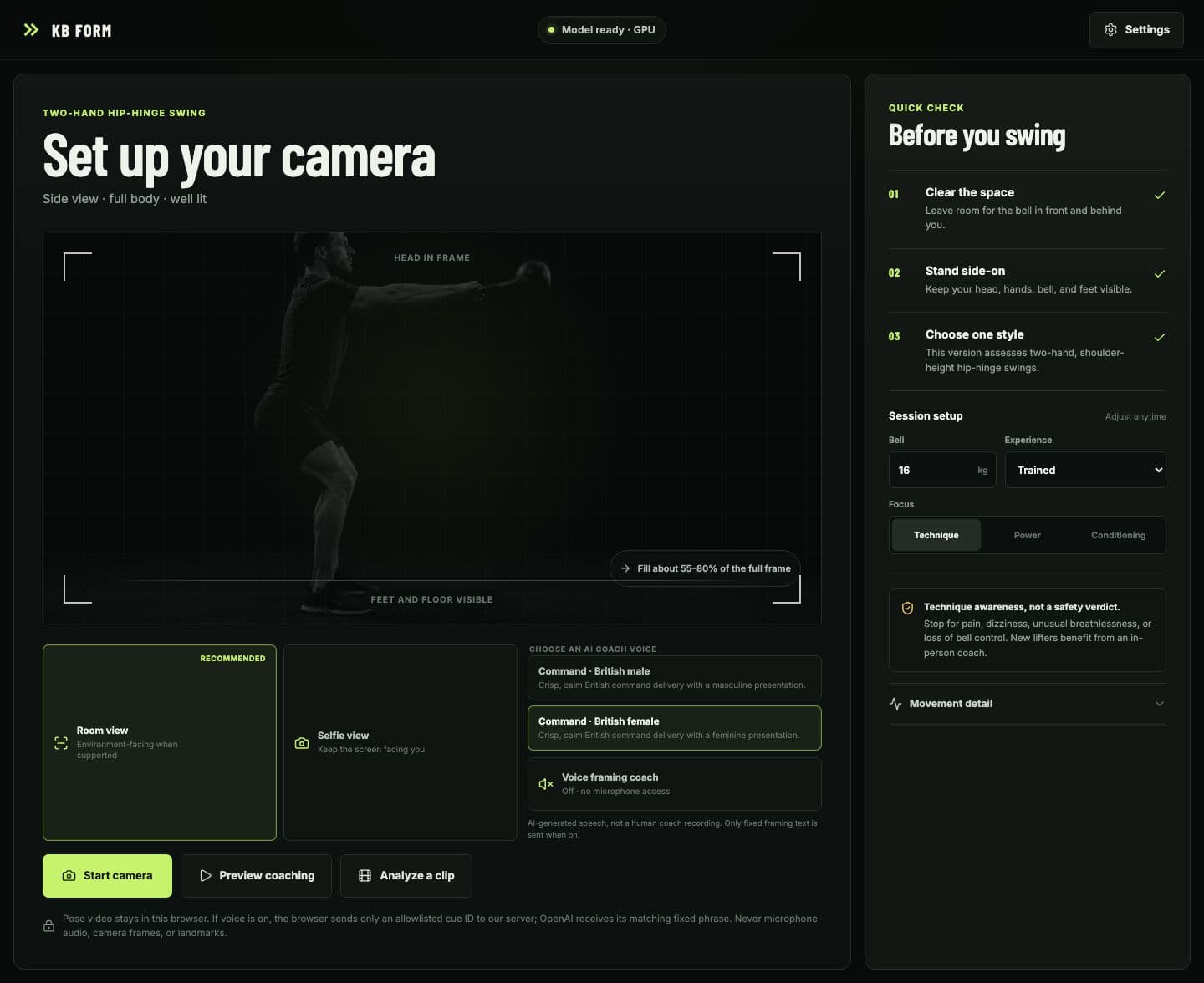
The camera setup now treats optics as a first-class product problem. Room view asks for a full 4:3 environment-facing scene when the browser can provide it; Selfie view is explicit; granted devices can be selected exactly after permission; minimum zoom is attempted only when the camera exposes that capability; and mirroring follows the granted track with a manual correction. The preview and overlay preserve the full source frame so users no longer have to stand implausibly far away just to keep their head, hands, kettlebell, feet, and floor visible.
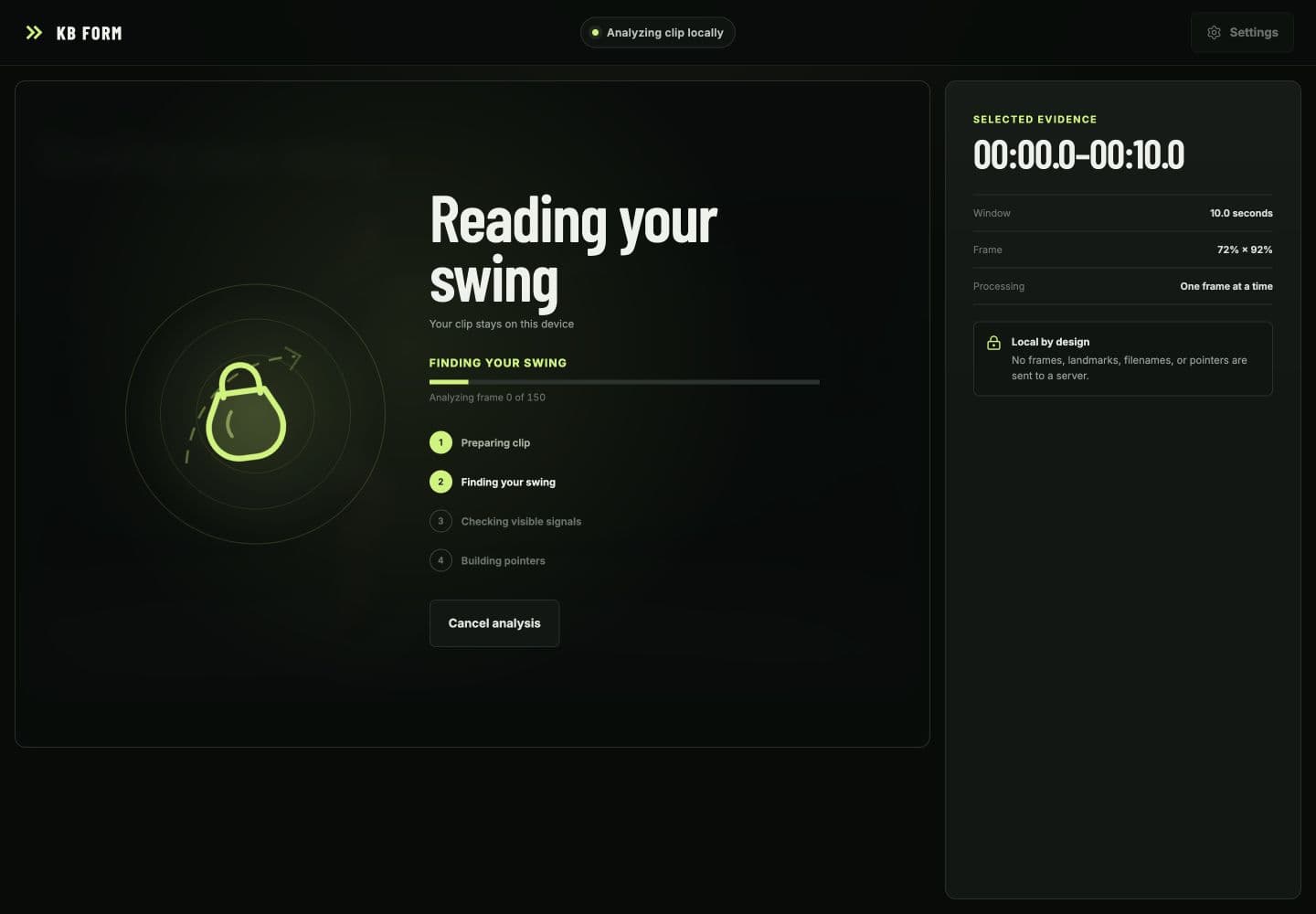
The runtime is built for browser responsiveness. Fresh camera frames or bounded clip samples are transferred to a dedicated MediaPipe module Worker with one-frame backpressure, while playback, trimming, cropping, progress, and the overlay remain responsive on the main thread. Clip inference is capped at 15 frames per second and a 640-pixel analysis edge; GPU inference falls back to CPU, and the pinned WASM runtime and checksum-verified pose model are served from the application's own origin.
What the model can support
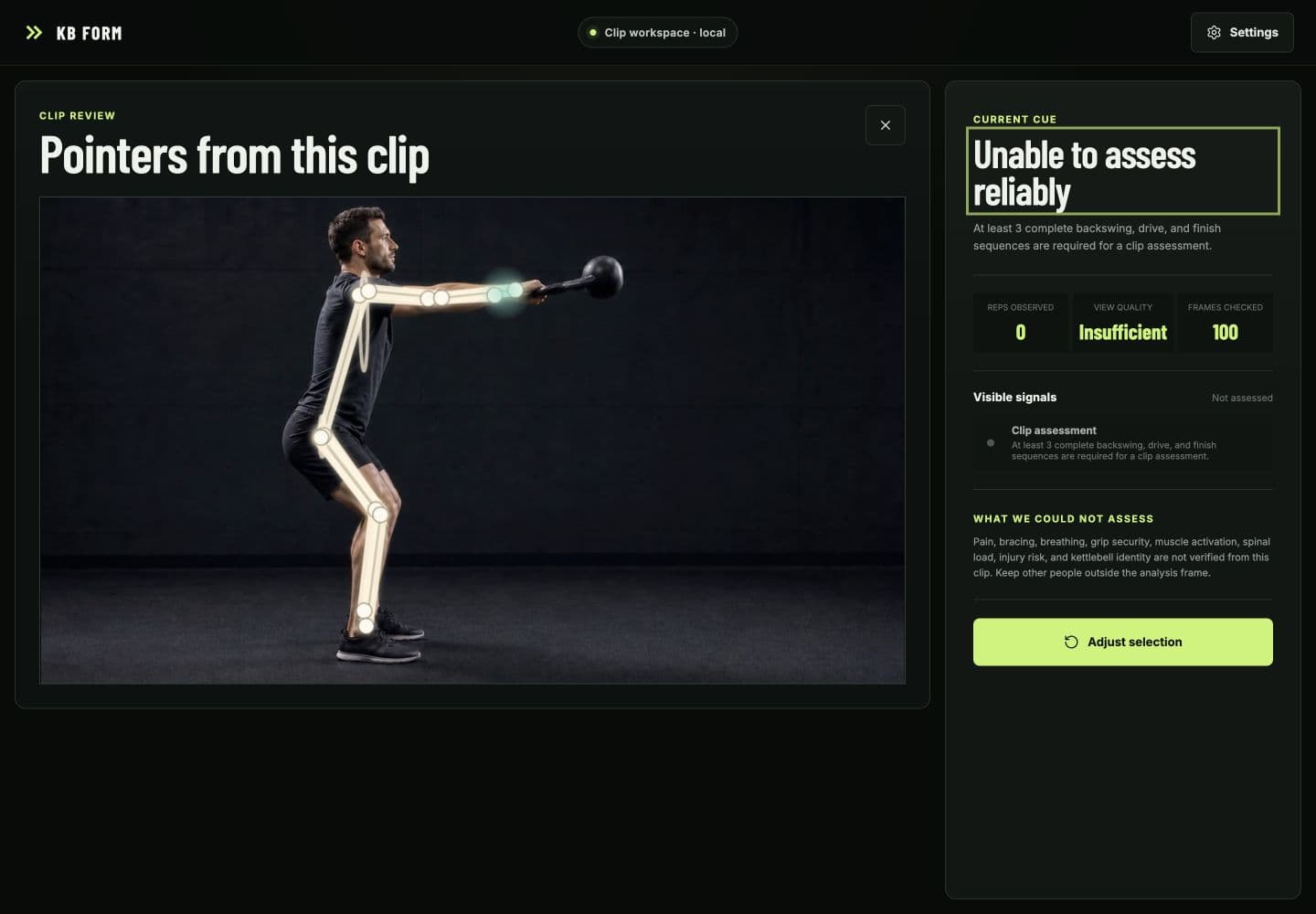
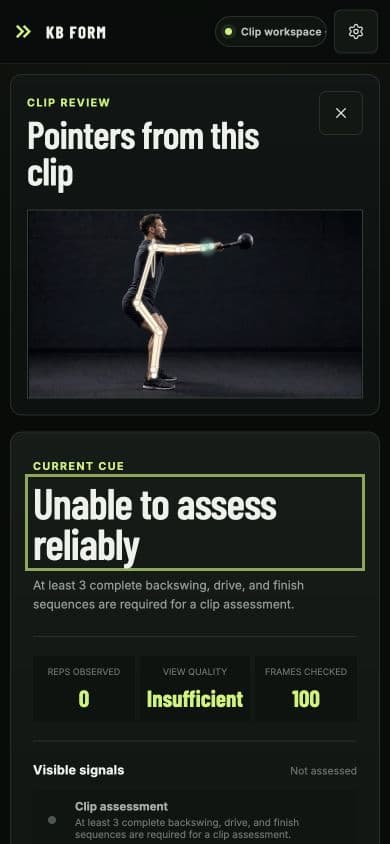
The clip analyzer requires one visible athlete, at least three continuous backswing, drive, and float or finish sequences, and enough supported frames before it can produce pointers. Malformed landmarks, additional people, insufficient visibility, interrupted timing, unstable calibration, missing phase evidence, or inadequate coverage reset the in-flight movement and return an explicit unassessed result.
Unable to assess reliably is a first-class result, not an error hidden behind a flattering score.
That fail-closed state shapes both the interface and its lifecycle. The source is opened through a temporary local object URL; no clip, frame, landmark, filename, pointer, or analytics event is uploaded or retained by KB FORM. Exact Worker, job, and frame ownership prevents stale asynchronous work from mutating a newer session, while cancel, replace, close, and failure paths dispose transferred frames, media state, timers, Workers, and object URLs deterministically.
Shipping the prototype honestly
Framing guidance is visual first, with two optional, clearly disclosed AI-generated British command-style deliveries: a masculine presentation rendered with OpenAI's built-in cedar voice and a feminine presentation rendered with marin. They are not cloned people or Custom Voices. The browser creates one receive-only audio transceiver—never a microphone or Realtime data channel—and sends only an allowlisted cue ID plus a short-lived signed capability to the same-origin server. Trusted server code maps that ID to fixed text and controls OpenAI over a sideband channel; camera frames, clips, images, and landmarks never join the request. Hide, disable, session end, profile switch, and unmount pause locally, send bounded cancel/clear work, and close owned media resources, with an available local English device voice or visual-only state as the fallback. Device-voice availability, sound, timing, and OS/browser privacy behaviour vary by platform.
The app improves the engineering evidence. It does not turn a browser pose model into a biomechanics laboratory.
The claims boundary is equally deliberate. Monocular pose can support observations about visible joint relationships and timing; it cannot measure pain, breathing, bracing, muscle activation, spinal load, tissue capacity, kettlebell force, or injury risk. The optional body, region, skeleton, trail, and 3D layers are illustrative.
The release path now has real engineering gates: linting, strict TypeScript, 392 deterministic Vitest tests, 4 Playwright browser tests, coverage thresholds, bundle and model-integrity budgets, zero known dependency vulnerabilities, GitHub Actions, CodeQL, Dependabot, restrictive production headers, deep-link verification, and Vercel-native function builds. Public H.264, VP8, VP9, variable-frame-rate, exact-EOF, damaged-file, and immediate-retry clips exercise the real browser transport; a live voice smoke test verifies both profiles, mid-speech replacement, receive-only RTP, no microphone or data channel, and peer cleanup. A final diff-scoped security review reconciled all 38 changed source-like files and left no surviving code vulnerability. Those checks establish engineering behavior, not coaching accuracy.
This is still an engineering prototype, not a validated coach. Held-out athlete clips with qualified coach labels, repetition-level benchmark reporting, target-device latency and thermal tests, physical front/rear/ultra-wide camera sessions, assistive-technology checks, independent privacy-egress inspection, and motion-capture comparison remain the evidence needed before stronger performance or safety claims. The session firewall quota is live, while a durable shared cue quota remains an explicit deployment hardening item because the current Vercel plan rejected that second rate-limit rule.